Monday Hack: Undo What You Just Did

First, my apologies for falling off the blogging bandwagon. June got in the way. But I especially love the idea of Monday Hack Day–if Monday is hard, let’s make it a little easier by learning something fun and new, or at least a new thing to do on your iPad.

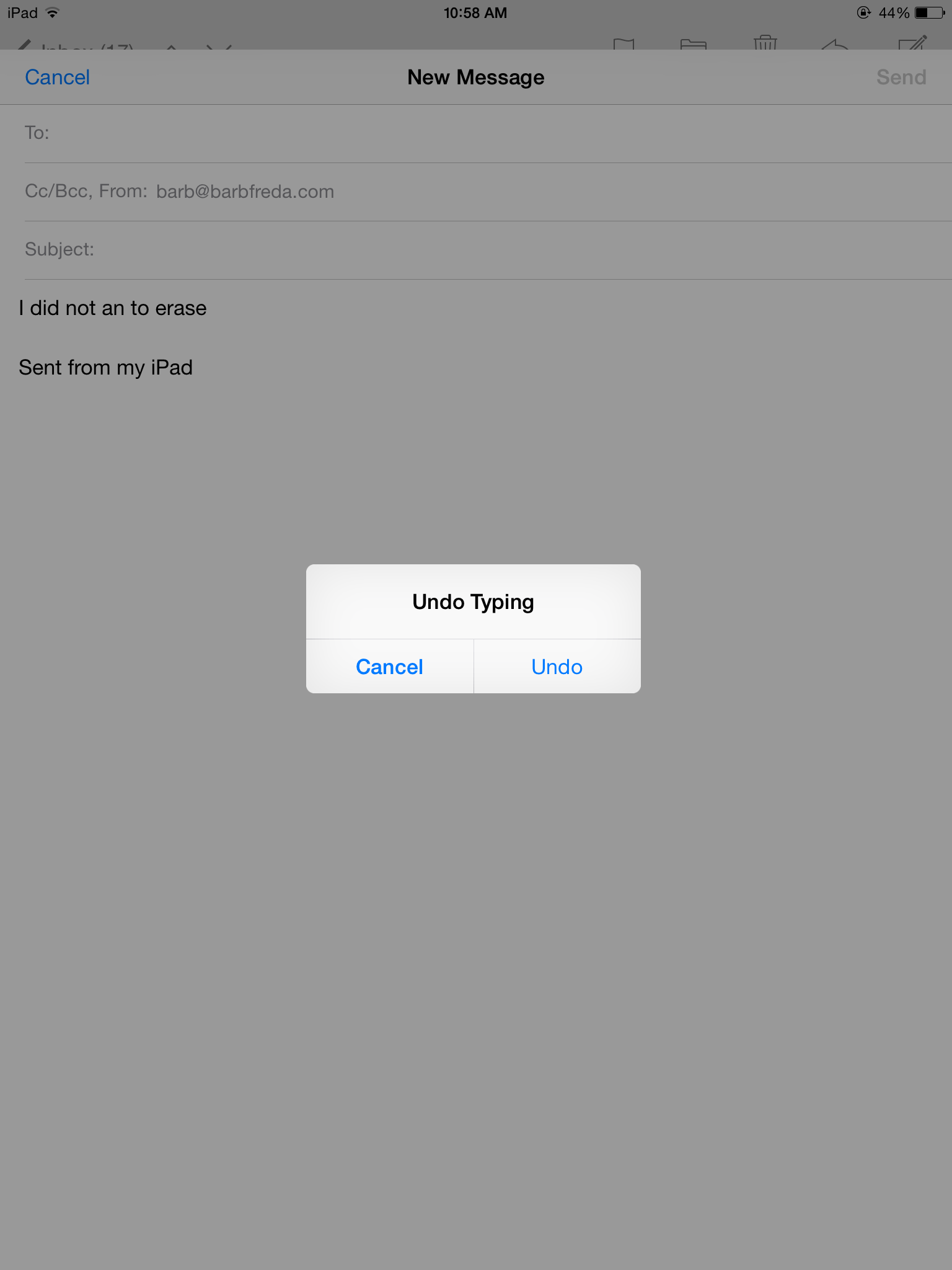
Today’s is one that took me a long time to discover, even though it was giving me a clue every time I jostled my iPad with enthusiasm. I would be typing along in an email and either set the iPad down or bump my elbow and this would appear:

IMG_2178


I always just selected cancel. But then I found out what it is actually for–say you have written an email, need to delete a paragraph, highlight and delete that paragraph, but then realize you deleted two MORE paragraphs than you really wanted to–lost for ever? Nope!

Just shake your iPad up and down one time. That screen above appears. Select undo and voila: everything you just erased now reappears.

It also works if you have typed things you don’t want there…one shake up and down, same window appears, select undo and your typing disappears.

That’s your Monday hack.


What I Read This Week…

First: Drat! I missed posting yesterday…I don’t think I have ever missed a day in the blogathon world. This is at least me fifth year, too. Shame!

Now that is out of the way, here are some cool things I have read about this week:

Traceability and Cattle: RFID Tagging in Uruguay Tracing the origins of the steak on your plate is important for health and safety, but it’s also a big part of the farm to table idea–know your farmers. Cool, right?

What?! She is breaking up with her Apple Watch and I don’t even own one yet! I am so behind.

Since I am reading all about security issues these days, I loved reading this about staying safe on Public wifi–I tend to avoid it, but if I have to use it, I will follow the tips in this story.

Whoa: Injectable brain implant has potential to help cure Parkinson’s Disease.

And finally, I read this story last week, but forgot to link you to it. Scientists finding vessels that connect immune system and brain.

What fun things did you read this week?

Wednesday Fun Fact

Kevin Ashton is the man who coined the phrase “the Internet of Things,” and he was one of THE driving forces behind the RFID tagging wave, which tags everything from pets to trash cans to airplane parts to pill bottles to employee uniforms to smart appliances. Each RFID tag has a unique identifier, so you don’t know just WHAT the tag is on, you know exactly WHICH pill bottle/dishwasher/oxygen tank your information applies to.

I start writing about the IOT, and open up a magazine to find an entire column about Ashton and his drive to create network standards for using the data.

The universe is weird and wonderful.

Five Things I Learned from Theresa Payton

Great keynote speech from Theresa Payton of Fortalice Group.

1. A $5900 ransomware kit can yield $90,000 for the bad guys. That ROI tempts a lot of bad guys.

2. If your technology can be updated, it can be hacked.

3. It is inevitable that companies will be hacked, but what the bad guys get away with and how your company responds can be controlled.

4. Cost of cyber crime on global scale is $445 billion annually.

5. 95% of breaches are due to human error and 78% of those breaches involve tricking the user.

Payton’s talk was geared to companies, but the lessons are for us as individuals, too. it is up to us to keep our data secure. The best way to do that is to understand what is going on and to always be aware.

The simplest place to start? DON’T USE FREE WIFI.

Learn to recognize spam and don’t click links, open attachments or share persol info when asked to in a random email.

That is just a start. Learn to stay safe. Ignoring the problem will not make it go away.

Monday FAQ: Things You Might Not Know About Your iPad

I have dubbed Mondays FAQ Mondays. I get asked a few questions over and over…here are some good things for you to know about your iPad.

Today’s question is how to add a photo or video to an email.

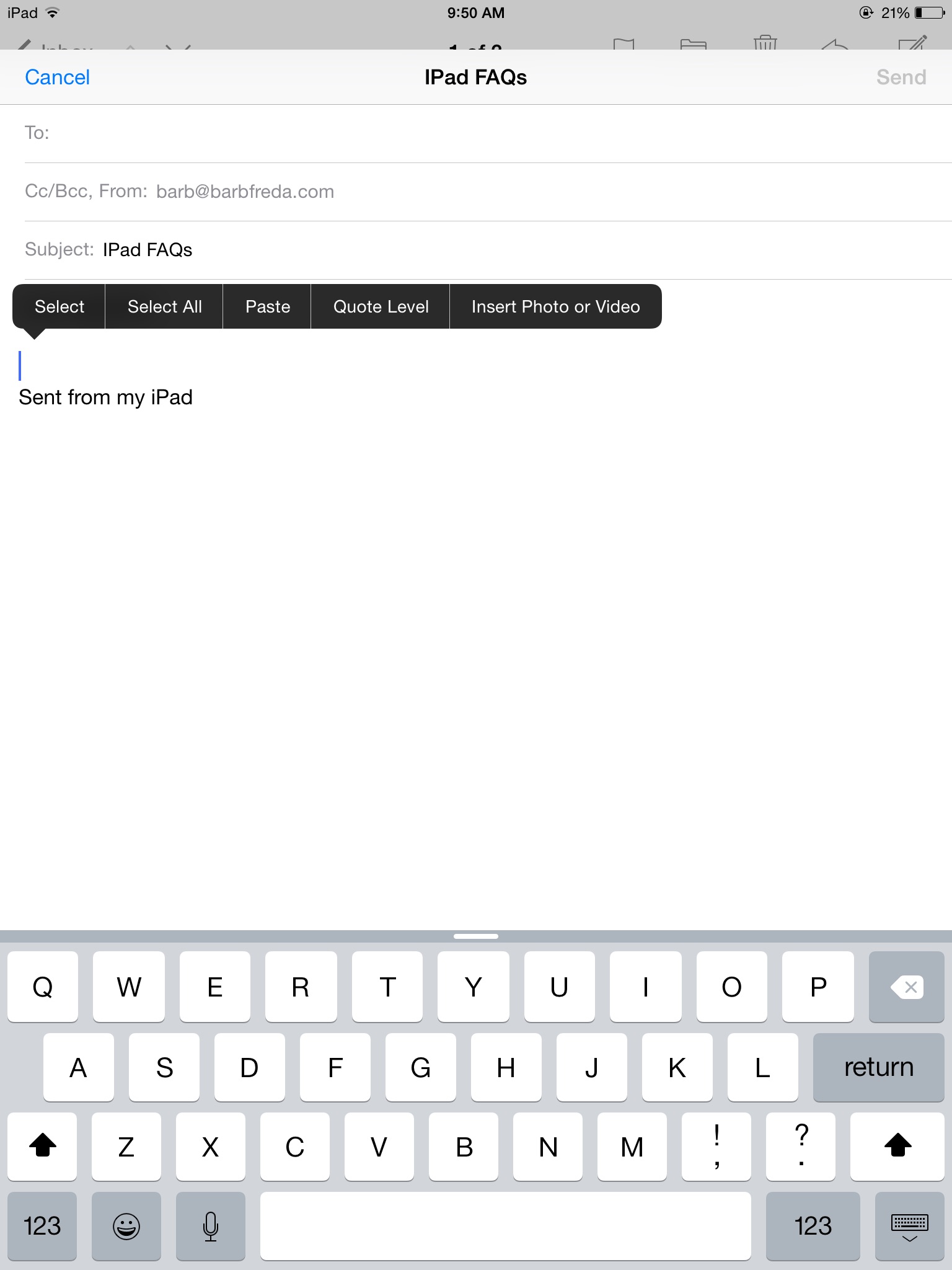
To insert a photo into an email on an iPad, tap and leave your finger on the screen in the body of your email for a second or two. When you lift your finger off the screen, a black bar appears:

imageI

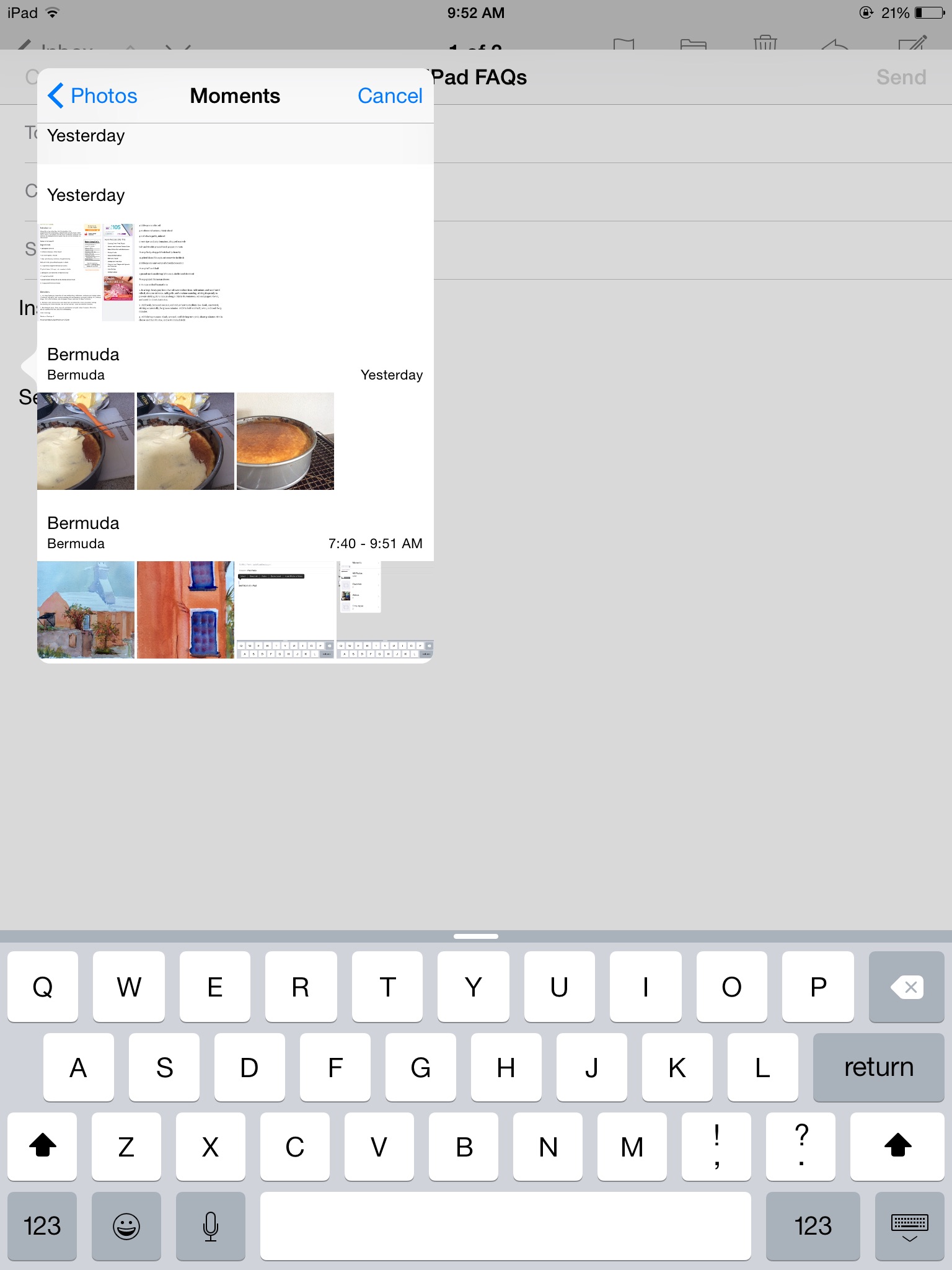
Select Insert Photo or Video. You will be taken to a popup box. Select what you need. I typically find my photos in Moments, because at least they are arranged according to dates there.image

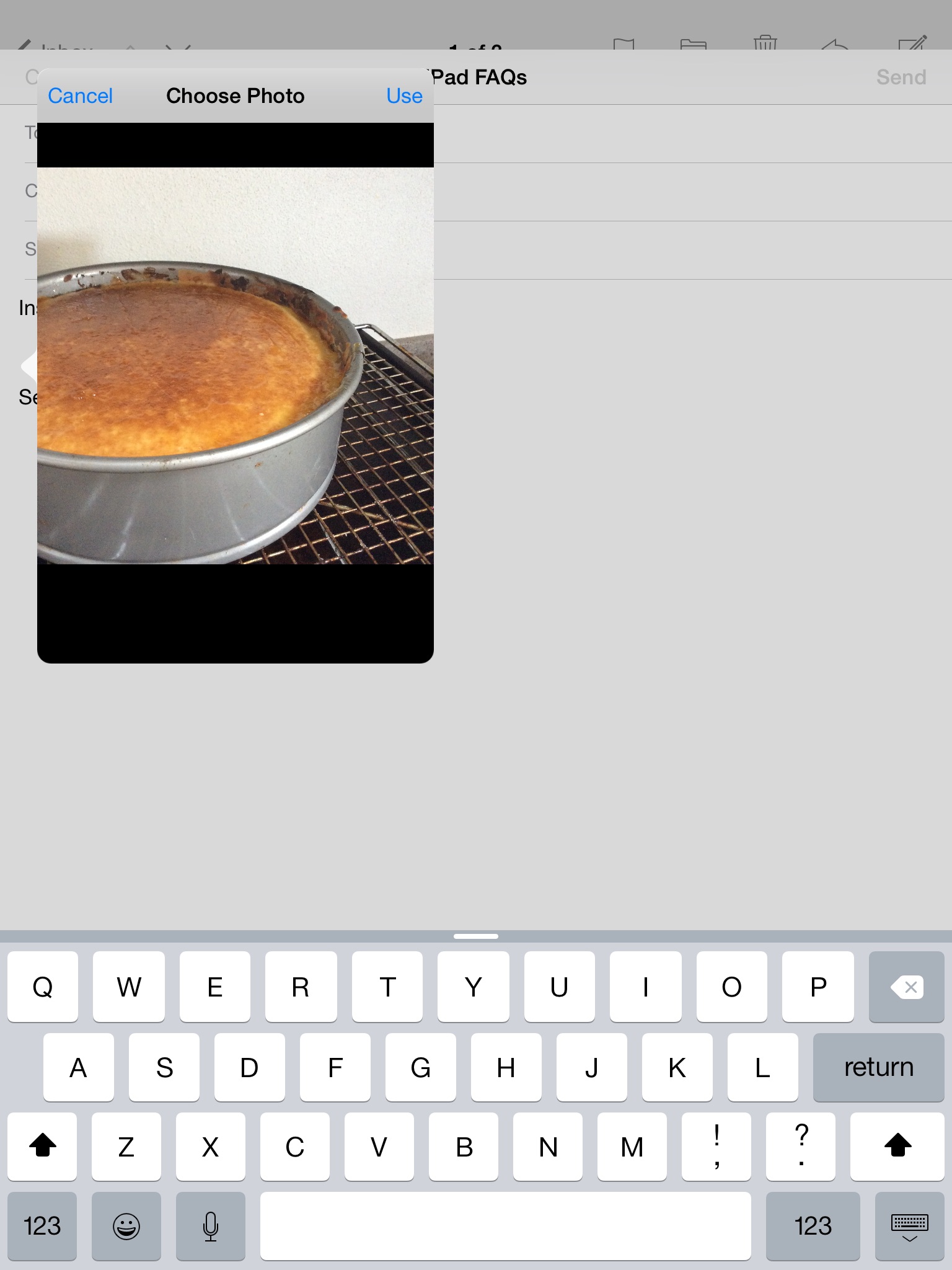
Once you are in moments, choose the date or location and find your photo. You will now see the photo in a box titled CHOOSE PHOTO. Select USE at the top right corner of the box.

image   image

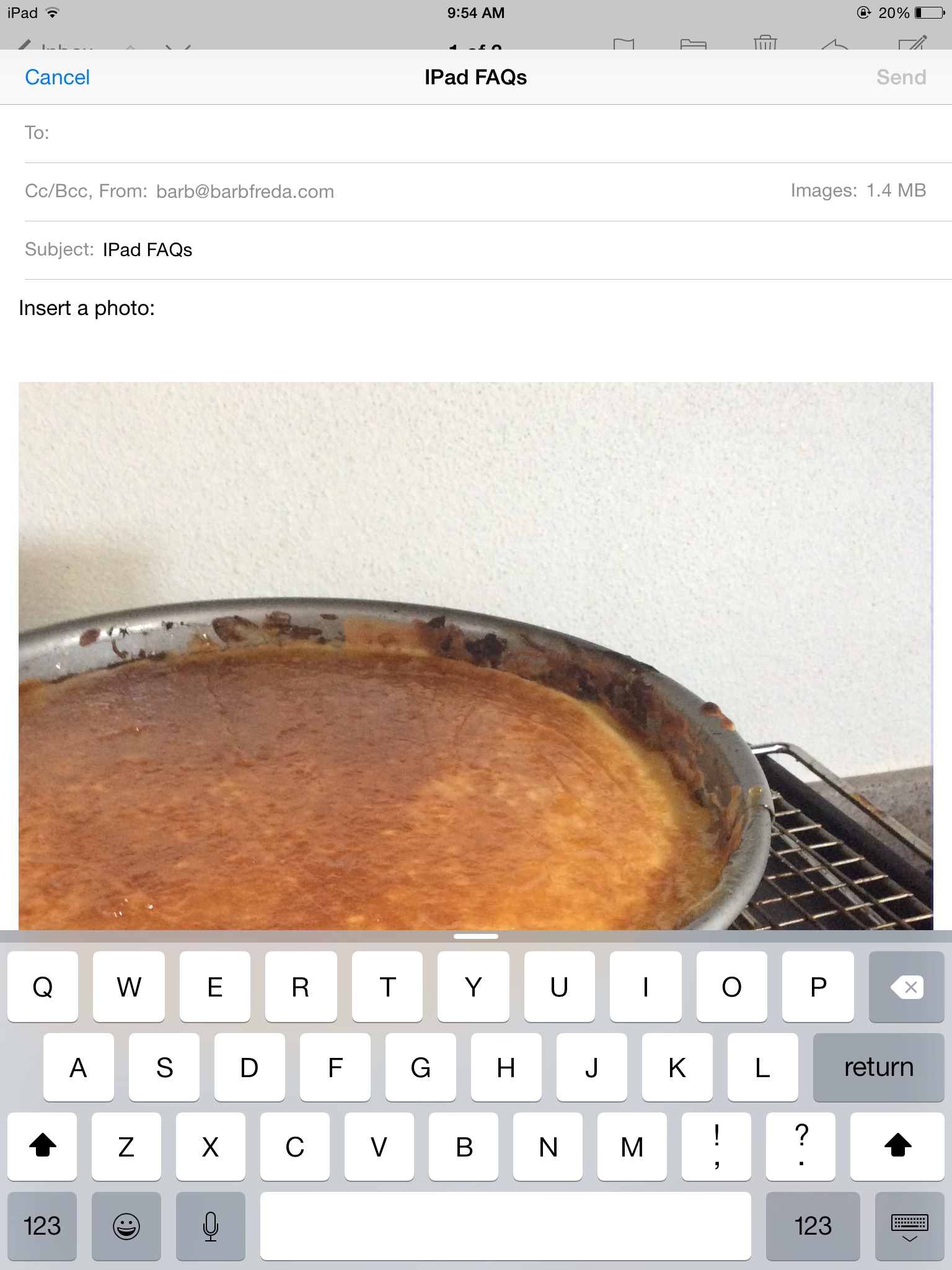
Your photo now appears in your email.

image


It may be too big. It is better to send SMALL photos in your emails–kinder to your recipients, more likely to go quickly, easier to download, etc.

To send a smaller version of your photo, look at the address section header of your email. To the right, you should see “Images: 1.4 MB” (your number may be different; that is the size of the photo I have uploaded here).

image


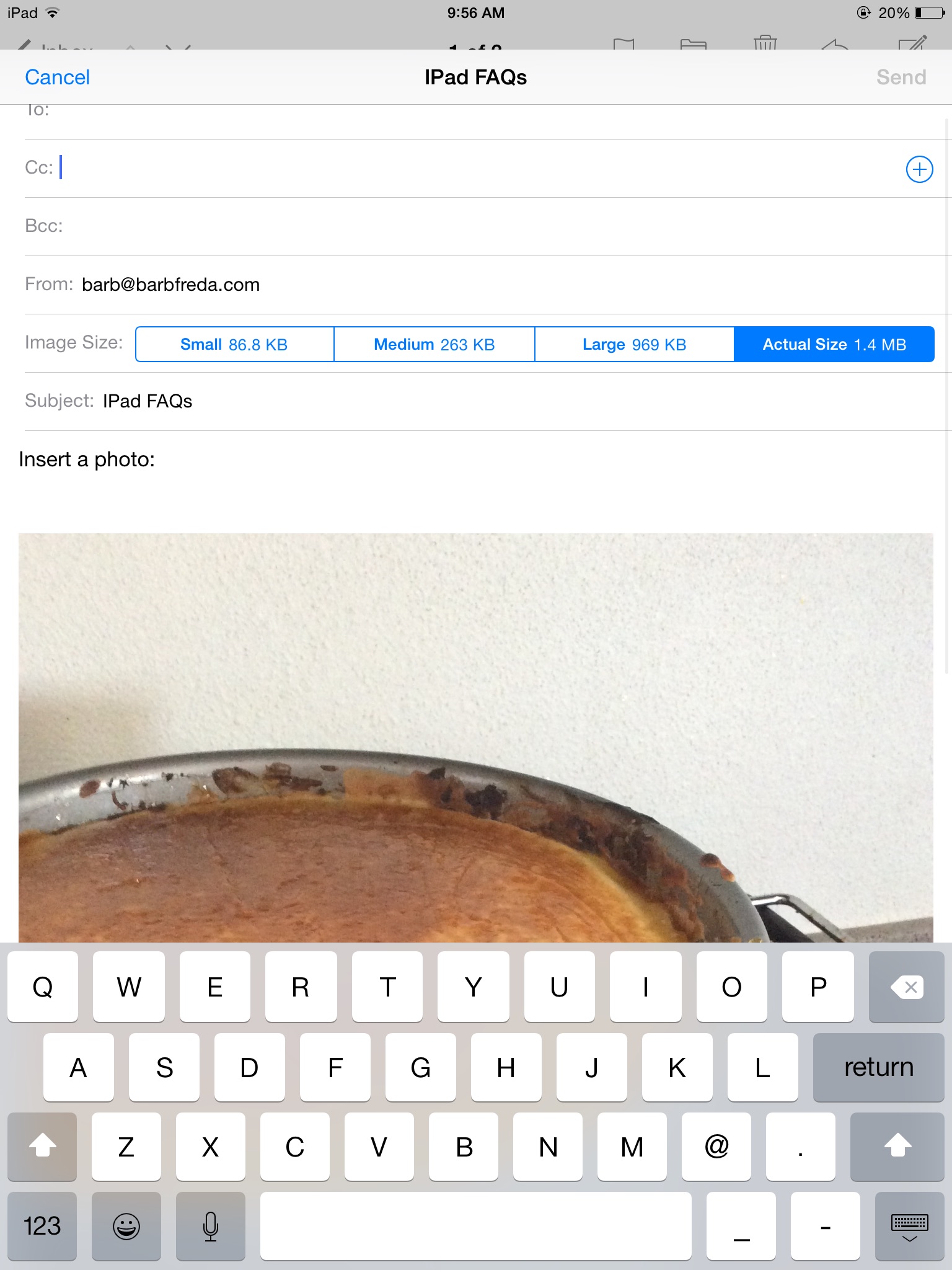
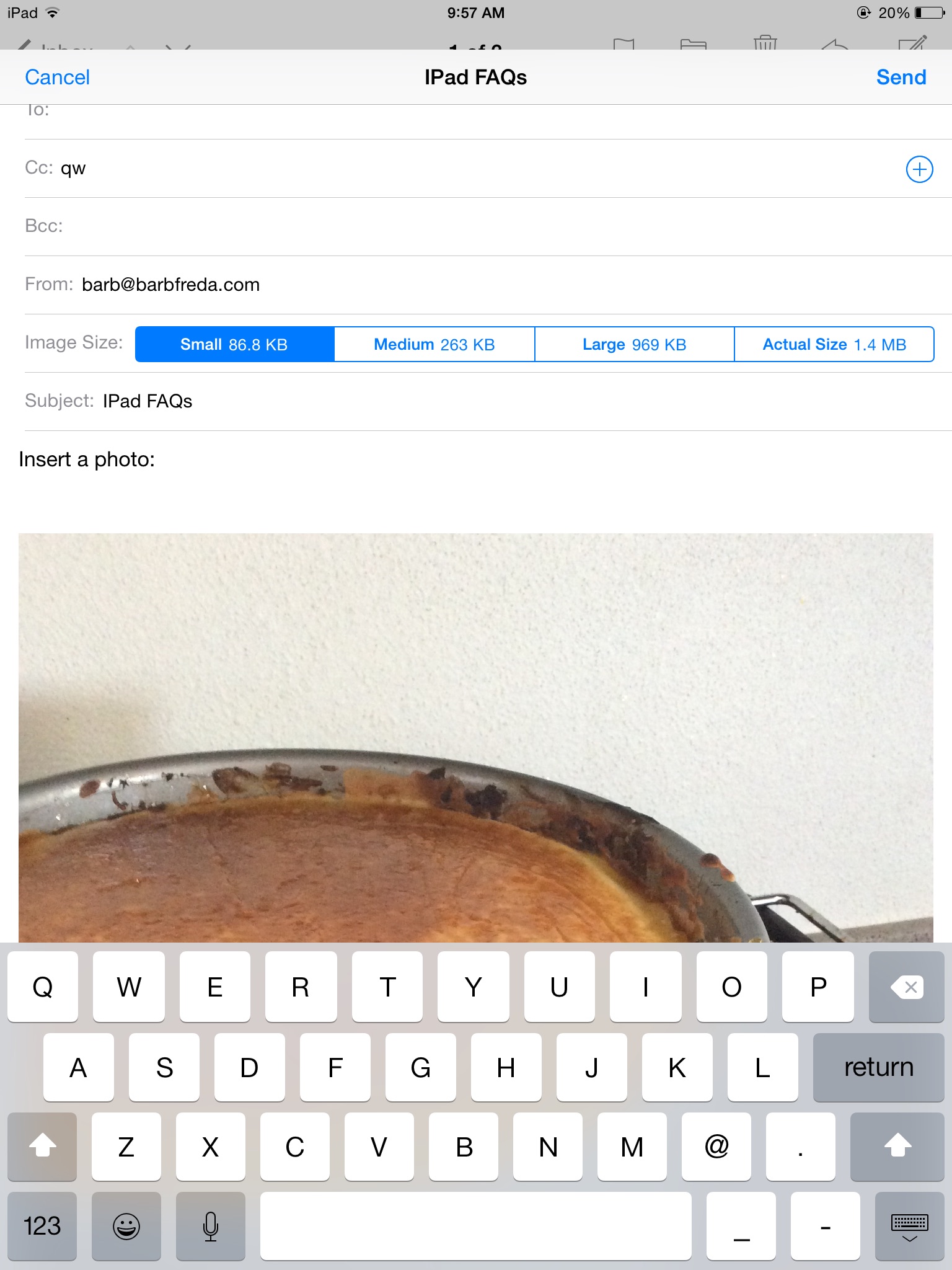
Tap that number. A bar appears with four choices of photo size. I almost always send SMALL, the box to the far left.


image


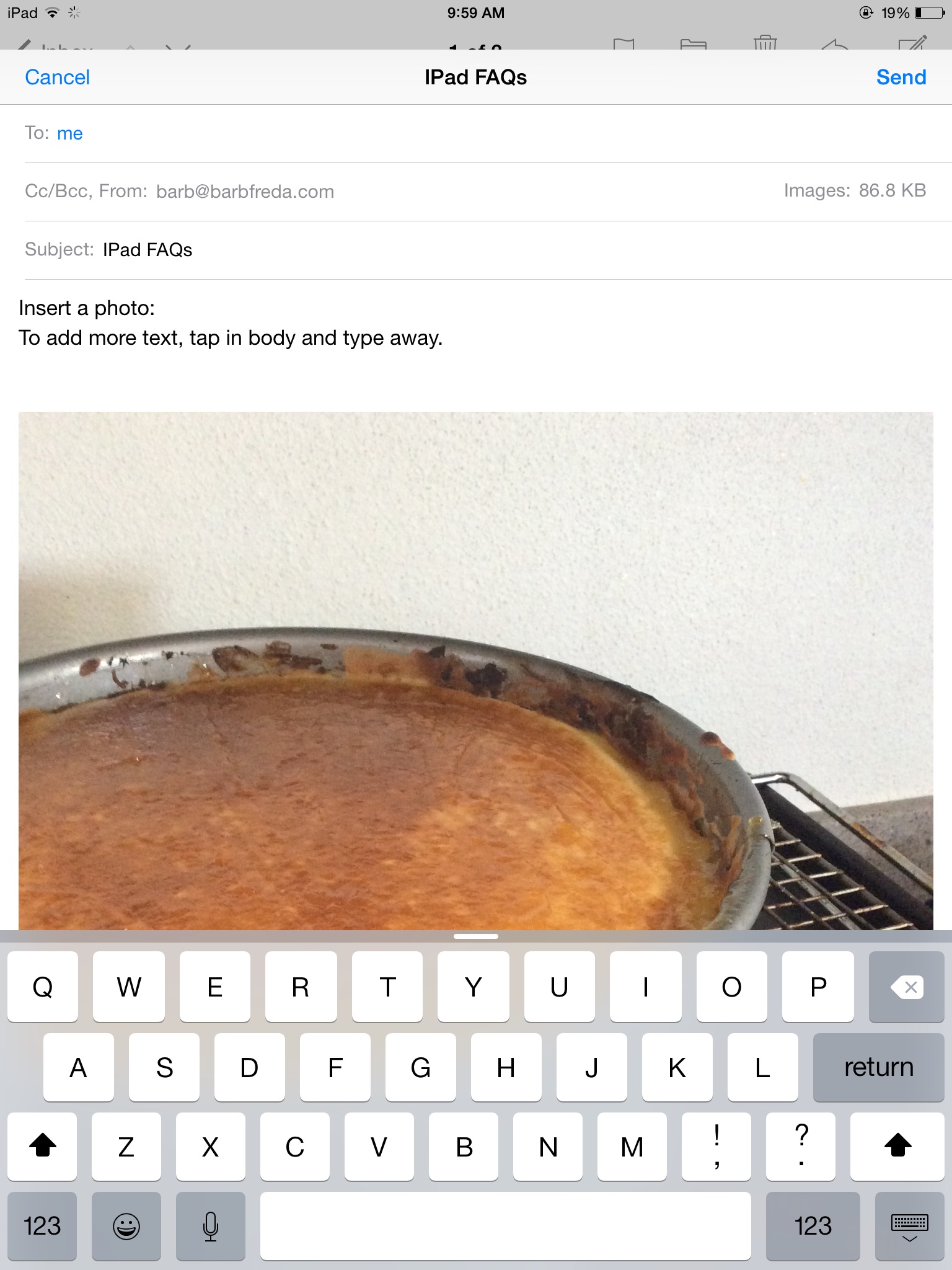
If you want to add more text, just tap back in the body of the email, type what you need to type…


image


Hit Send.

You just addd a photo to your email.


Friday Blog Roll: What I read..

I subscribe to a whole host of blogs, but here are three favorites:

Shelly Palmer. He can write and he really keeps up to date on what is going on in the tech world. He has his opinions and he links through to original stories for the full read. I try to read him daily.Sign up for the daily newsletter, too. Always interesting. Verizon Hates iPhones in Italy..

CNet: Not a blog, but certainly a place where I look for reviews of tech, news stories and more. I learn something every time I visit. Read about Apple’s Beats Music.

Mashable: Another always-a-good-read blog, with more news than I can digest at times. Is the Apple Watch a Hit?

More next Friday…in the meantime, what tech blogs do you read?

The Crossover

I have spent a boatload of years in the food industry. I cooked (hi, Union Square Cafe) at every station, rose to expediting huge lunch and dinner crowds.

Then we moved. Or rather, then I had babies. I wish I had never quit working for USC, but that is the past, and we can’t fix it.

I took some more cooking jobs, but always wanted to write, especially after hearing about a neighbor who did freelance writing. I swear, I thought: If she can do it, so can I. So I bought books with titles like: How to Write and Sell a Magazine Article. How to Write Irresistible Query Letters. I followed those steps and began to write for pay almost immediately.

I wanted to be a generalist. I love love LOVE the research part of this job (and, for the record, I went to a liberal arts college and majored in Spanish and Anthropology). But over the years, people would learn about my cooking background and they would assign me a food story.

Slowly the business stories, real estate, education stories, those slowly fell away.

Then blogging started and of COURSE I had a food blog! Babette Feasts, which still has a soft spot for me. I moved from there to food editor at a regional magazine.

And we moved again.

You might think I wasn’t doing any techy stuff all that while, but you would be wrong. At one food magazine, I became the equipment editor, because I knew how things worked. And if I didn’t, I was able to learn.

And another food trade magazine, I became the e-technology editor, right when digital technology and the  internet was coming into play and everyone wanted to get into the game. One person once asked me: do you really think every business will need a website? Why? Mmmhmm. And that was not THAT long ago, really.

Then another editor found out I had broken apart a laptop that died, removed the hard drive, gone to Tiger Direct to get another, put all back together and had myself a working laptop again. (I went on to do the same with the laptop I work on now, replacing a failed hard drive with a SSD just about 2 years ago. This laptop is now 8 years old, a dinosaur…except it’s not because of my upgrades!)..

I wrote business profiles of software companies and finance companies and learned about tracking technology in the cattle industry (hello, RFID technology, which I am learning more about these days).

In other words, the crossover from writing about food to writing about the business of food to writing about the technology of the food industry to writing about technology…well, that crossover was as natural and as smooth a transition as could be imagined.

And when there was no crossover, I still forged into the tech arena. I built websites for people who asked for them, learning a lot of WordPress and some HTML as I went.

I was the person friends turned to for quick tutorials on their iPads. I was always the person who figured out how to do something. I wouldn’t be daunted and worked to solve my own problems. How hard can it be, I am always asking myself.

And now, as some of the food writing industry wanes, the tech writing industry grows. And the space is looking for people who can explain complex things in simple, concise terms.

I am that writer.

Is Big Brother Watching Us?

So I wrote a bit on the Internet of things (IOT) yesterday, and my last line addressed the security issue of all this connectivity.

I think about this a lot. I love technology, but I always question what can be done with the information I am willing to share.

So is Big Brother watching us?

My answer is yes and no.

No, I don’t really think anyone is interested in my texts telling my husband to buy milk on the way home, so in that respect, I don’t think I am being watched.

But I also believe if Big Brother wanted to know I told my husband to buy milk on the way home…he could know that.

Not for nothing that a federal appeals court recently told the NSA to stop bulk collection of phone data. Read more about it here.

My advice? If you don’t want someone to know something, don’t put it in an email or in a text message. Share unicorns and rainbows on Facebook, but it is probably not the best place to rant on …about anything, if you ask me.

I worry about the generation that has grown up with this very public disclosure mindset. I am always telling my own kids they need to be more circumspect in what they are posting. Once out there? It is out there forever. And if you haven’t read them yet, stories about about public shaming and the (happy) backlash against said public shaming, something that was not even on the horizon five or ten years ago, abound.

And if you are not worried, maybe you should be. My daughter’s honors class was asked if the government should be allowed to read texts and gather that phone data. Every single student except my daughter had no problem with that.

Scary, right?